/icon_text_light_svg.svg)

You can make an original horror game by describing its setting, threat, and player actions to Chatforce. Chatforce is a tool where you describe a game in chat and AI agents build it, in 2D or 3D, single-player or multiplayer. Choose 2D or 3D at creation, then shape suspense through what the player can see, hear, and risk.
Make uncertainty playable
Horror works when the player understands the danger well enough to worry, but not so well that every encounter feels solved. The core loop often moves from looking for clues, to noticing a sign of danger, to choosing whether to investigate, hide, or move on. Let each action answer one question and raise another. A locked door may confirm that someone has been here, while leaving the player unsure whether the sound behind it is nearby or far away. A compact mystery can make each clue matter, much like an adventure game. R.E.P.O.-style co-op horror applies this to a group carrying loot through danger.
Pacing depends on contrast. A long stretch of quiet gives small changes meaning: a light goes out, a familiar path looks different, or a sound repeats from a new direction. If every corridor contains a chase, players stop treating danger as special. Give the player safe moments to observe and make a plan, then change one condition so their plan has to adapt. Keep threats non-graphic and make the tension come from anticipation, limited information, and consequence. Quiet stretches between threats are also central to stealth games.
| Design choice | What it changes |
|---|---|
| Viewpoint | First person limits sight; top down lets players read more of a room. |
| Threat | A creature, presence, or human pursuer gives exploration a consequence. |
| Pacing | Quiet investigation makes sudden danger feel sharper. |
| Player tools | A light, hiding place, or limited resource changes how players handle risk. |
Horror games made with Chatforce
These published examples show that horror projects on Chatforce can use either 2D or 3D. The Quiet House is a 3D example, while The lantern stands is 2D. Puzzle rooms with one clue each fit naturally into horror pacing.
Made and published by people using Chatforce. See more games
Build the scare in deliberate passes
1. Choose a view that supports fear
Pick 2D or 3D when you create the game, so decide the view first. A 2D top-down view can make routes and room connections clear while hiding details behind walls. A 3D scene can use distance, lighting, generated models, and a directable camera to control what enters view. Pick the form that supports your central fear. Tell Chatforce what the player can see at a glance, what stays obscured, and how the camera should behave when the threat is near.
2. Give the player a reason to move
Describe a simple objective that creates forward motion, such as finding a key, restoring power, or locating a missing person. Then define the clues that help the player understand the space: a note, a repeating sound, a changed object, or a light visible through a doorway. Make the objective concrete and keep the first area small. A player should be able to explain what they are trying to do, even while they are unsure what waits along the way. Avoid stacking several errands before the first meaningful discovery.
3. Set rules for danger and relief
Explain how the threat behaves in terms the player can learn. It might react to light, patrol between rooms, or appear only after a clear cue. Pair that rule with a response, such as turning off a lamp, hiding briefly, or choosing a longer route. Add quiet pauses after encounters so players can recover and read new clues. If the threat can appear anywhere without warning, decisions feel arbitrary. Ask Chatforce to make danger legible through consistent signals, while keeping its exact timing uncertain enough to sustain tension.
4. Replay and tune the atmosphere
Play the first version and note where you felt lost, safe, or rushed. Ask Chatforce for one focused change at a time: improve the clue near a locked door, make a warning sound easier to place, or slow the gap between encounters. Test whether a player can reach the first decision without extra explanation. Describe a visual direction with colors, materials, stylized fonts, or reference images, and use paint over concept art if it helps communicate the look. Keep names, characters, art, music, and story original.
Example prompt: Make an original 2D horror game set in a closed seaside archive during a storm. The player must find three records and reach the exit while a presence follows sounds made by opening drawers. Use a top-down view, narrow pools of warm lamplight, and quiet rooms where rain is audible. Give the player one hiding place per floor and clear visual signs when the presence is close. Keep the threat non-graphic. Start with a compact first floor, one locked cabinet, and a clue that teaches the sound rule. Use original names, characters, art, music, and story.
Use sound and light as information
Atmosphere is stronger when it helps the player make a judgment. A distant scrape can suggest movement without identifying the threat. A lamp that flickers only when danger is close becomes a warning players can interpret. Ask for a small sound palette with distinct jobs: room tone for safety, a recurring cue for investigation, and a sharper cue for immediate risk. Avoid layering constant noise over every scene, since silence and familiar sounds give changes their force. Layered sound effects such as footsteps and doors carry much of that information.
Lighting should guide attention as well as hide detail. A lit desk can point toward a clue, while a dark doorway creates a choice about whether to enter. Describe the contrast and the information each area should reveal. In 3D, specify how the camera frames entrances and long sightlines. In 2D, say which walls block sight and how the player can read doorways. Ask for the look with art styles, reference images, stylized fonts, or paint over concept art. Games like Hollow Knight use light and shadow in a similar way to guide exploration.
Keep the first build narrow
A common first-build mistake is adding a large map, many threats, and several resource systems before testing one encounter. Start with one route, one useful clue, one hiding decision, and one return to safety. That short loop is enough to reveal whether the player understands the rules and whether the pauses feel tense. Once it works, add another space that changes a familiar rule instead of adding more of everything. If you are comparing tools for a 3D horror project, the Unity alternative page covers the engine route. Survival systems such as limited light or supplies can raise the stakes once the core scare works.
On Chatforce, you describe the game in chat, an AI team (the studio director, the coder, the artist and the sound engineer) builds its code, art, and audio, and Chatforce publishes a playable game at a shareable URL. Friends can play without an account. Your first playable typically takes 10 to 15 minutes; after that, report what feels off, ask for a change, and replay. You own your work, and published games have no watermark.
How to make a horror game
Many creators applying to Chatforce want to make horror games. A workable first game is one place, one threat, and one way through the night or out of the building. Two shapes come up often: survive a set number of nights, or search a place for a way out.
Choose 2D or 3D
Pick 2D or 3D when you create the game, so decide the view first. A 2D view can show a map of rooms. A 3D scene can use a camera, lighting, and generated models. Say what the player can see, and what stays hidden.
Give the threat one learnable rule
Describe what the threat does and how the player can respond. It might move when a light is off, follow a sound, or wait behind a door. Pair the rule with a tool, such as a light, a door, or a hiding spot. If the threat can appear with no signal, the player cannot make a decision.
Build one night or one escape
For a night game, say how many nights there are, how long a night lasts, and what ends it. For an escape, name the way out and the clues that open it. Keep the first version to one route, such as five nights in a lighthouse or a repeating set of rooms with one exit.
Play the URL and change one thing
Chatforce publishes a browser game at a shareable URL. Players open it with no install and no account. Play the first scene, then ask for one change, such as a clearer warning sound or a slower gap between encounters. You own the work, and the published game has no watermark.
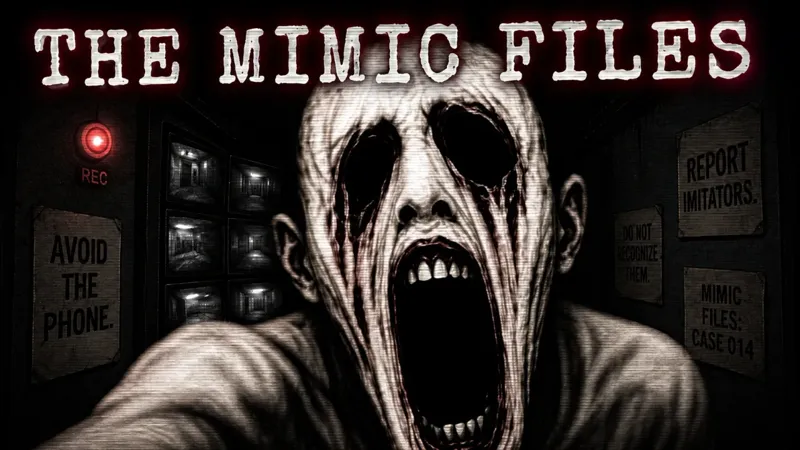
For a night built around cameras, doors, a power meter, and a jump scare, follow how to make a game like FNAF. For games to play in that neighborhood, see games like FNAF.
Example prompt: Make an original 2D horror game. The player tends a lighthouse for five nights. Each night the lamp fails in one more room, and a presence moves only while the player’s own light is off. The player can hide in one closet per floor. Night five ends if they reach the boat, or if the presence reaches them. Keep the threat non-graphic. Original names, characters, art, music, and story.
Frequently asked questions
Can I make a horror game in 2D or 3D?
Yes. Choose 2D or 3D when you create the game, so decide the view first. Use 2D for a clear map view or 3D for a directed camera and spatial sightlines.
Does Chatforce include a horror system?
Describe the exploration, threat behavior, hiding, clues, and pacing you want in your prompt, and the agents build them.
How do I make the game scary without relying on constant attacks?
Use quiet stretches, clues, and consistent danger signals. Let players form expectations, then alter one part of the situation so they must reconsider their route or plan.
How do I make a horror game?
Choose 2D or 3D when you create the game. Describe one place, one threat, and what the player can do about it. Chatforce builds a browser game at a URL. A first playable usually takes about 10 to 15 minutes, and you refine it by describing changes in chat.
Can I make a horror game about surviving several nights?
Yes. Say how many nights there are, what gets harder, and what ends a night. Cameras, doors, and a power meter are one way to do that. Make an original game with your own names, characters, art, music, and story.
Can friends play a horror game together?
Yes. Online multiplayer works in 2D and 3D, for up to 8 players in a room. Describe what each person does, then send the game link. Players do not need an account.
Related pages: How to make a game with AI · 3D game maker · 2D game maker · Browser game maker · Games made with Chatforce